
You already have the content. You just haven’t gotten everything out of it yet.
Most marketers write a blog post, hit publish, and move on. Then they spend the next week staring at a blank content calendar. The problem isn’t a lack of ideas — it’s not using what you already wrote.
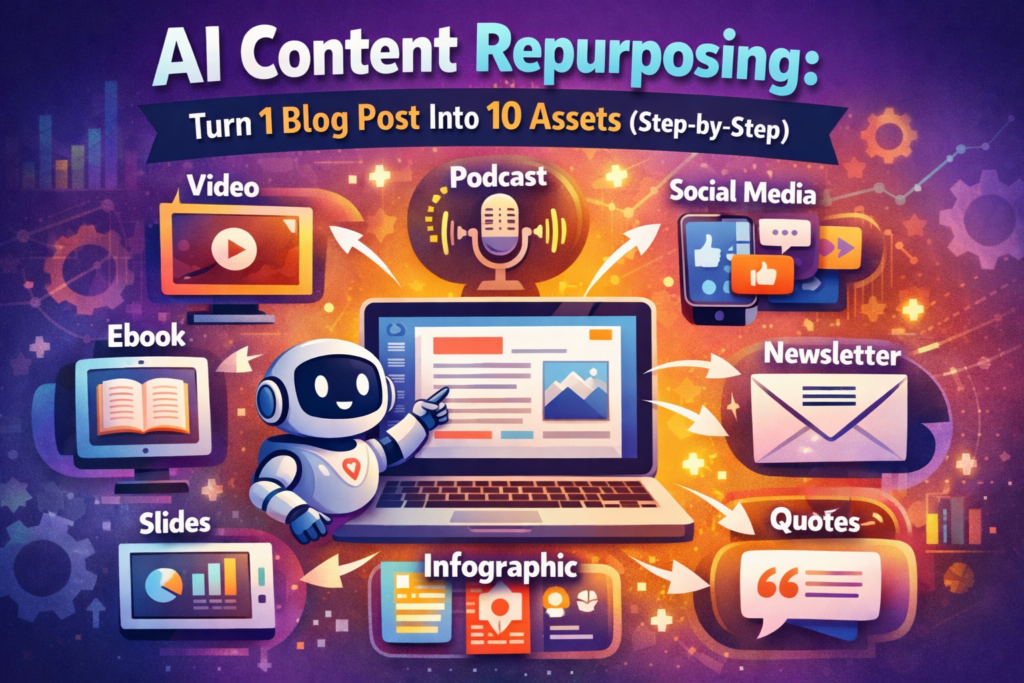
AI makes that a lot more fixable than it used to be. In this guide, you’ll learn how to take one blog post and turn it into 10 different pieces of content using tools most creators already have access to. Free or cheap. No technical skills required.
Today’s takeaway: One solid blog post can fill a week of content across every platform you’re on. Here’s how to do it in under an hour.
What is AI content repurposing?
AI content repurposing means using AI tools to transform existing content into new formats, without starting from scratch.
You take a 1,200-word blog post and ask an AI to turn it into a Twitter thread, an email newsletter, or a short video script. The core ideas stay the same. The format changes to fit the platform and the people on it.
It’s one of the smartest habits a content creator can pick up, and AI makes it fast enough to actually stick to.
Why repurposing beats creating from scratch
Creating fresh content every day burns time and budget. Repurposing uses what you already know works.
You wrote the blog post because it answers a real question your audience has. But people consume content differently — some scroll LinkedIn, others only check email, others watch short video and nothing else. Repurposing puts the same idea in front of all of them. With AI handling the reformatting, what used to take half a day now takes under an hour.
Step-by-step: 10 ways to repurpose a blog post with AI
For each method below, you’ll find the tool and the exact prompt to type. Copy it, paste your blog post at the end, and adjust as needed.
1. Turn it into a Twitter/X thread
Tool: Claude or ChatGPT
Prompt: “Turn this blog post into a 10-tweet Twitter thread. Start with a hook, make each tweet stand alone, and end with a call to action. Here’s the post: [paste your text]”
Threads get more reach than single tweets because the platform pushes them to people who don’t follow you yet. Your blog post probably has 6-8 distinct points — each one becomes a tweet. Two minutes of work.
2. Convert it into a LinkedIn carousel
Tool: Claude + Canva AI
Prompt: “Extract the 7 most important points from this blog post as short, punchy slide titles with one-sentence descriptions. Format them as carousel slides.”
LinkedIn carousels get saved and reshared more than almost any other post format on the platform. Run Claude’s output through Canva’s AI presentation feature and you’ll have a designed deck without touching a single template manually.
3. Write an email newsletter from it
Tool: Claude or Jasper
Prompt: “Rewrite this blog post as a short email newsletter. Keep it under 300 words. Include a subject line, one key insight from the post, and a link back to read the full article.”
Your email list may never visit your blog on their own. This brings the content to them in a format they already check every day.
4. Create a short-form video script
Tool: Claude
Prompt: “Turn this blog post into a 60-second video script for Instagram Reels or TikTok. Hook the viewer in the first 3 seconds, cover the top 3 takeaways, and end with a call to action.”
Short video is still the fastest-growing format for organic reach. You don’t need a studio — just your phone and a script that’s already written for you.
5. Generate Pinterest pin descriptions
Tool: Claude or ChatGPT
Prompt: “Write 5 Pinterest pin descriptions based on this blog post. Each should be 100-150 words, use keywords naturally, and include a CTA to read the full post.”
Pinterest keeps driving traffic to evergreen posts long after you publish. One blog post can fuel a full month of pins, and they keep working while you sleep.
6. Build an Instagram caption series
Tool: Claude
Prompt: “Extract 5 key insights from this blog post and turn each into a standalone Instagram caption with 3-5 relevant hashtags.”
Five captions, five days of Instagram content, done in under ten minutes.
7. Pull a YouTube video script
Tool: Claude + Opus Clip
Prompt: “Rewrite this blog post as a conversational 3-5 minute YouTube video script. Include a strong hook, natural chapter breaks, and a subscribe CTA at the end.”
Long-form YouTube builds authority in a way that social posts don’t. If you know the topic well enough to write about it, you know it well enough to talk about it on camera.
8. Create an FAQ page
Tool: Claude
Prompt: “Based on this blog post, generate 8 frequently asked questions with concise answers under 100 words each. Format them as Q&A pairs.”
FAQ pages are one of the most consistent ways to show up in Google’s featured snippets and AI Overviews. Each Q&A pair can rank independently, so one blog post gives you multiple search entry points.
9. Build a mini lead magnet
Tool: Claude + Canva AI
Prompt: “Condense this blog post into a one-page checklist or cheat sheet. Use clear headings, short bullet points, and actionable steps. Title it as a downloadable resource.”
A lead magnet built from existing content skips the blank-page problem entirely. The topic already works — you just need a new format.
10. Turn key points into quote graphics
Tool: Canva AI or Adobe Express
Find 3-5 statistics, memorable lines, or bold claims in your post. Drop each one into a branded Canva template and export.
Quote graphics get shared more than plain text posts on most platforms, and Canva AI generates background images and layout suggestions in seconds.
The best AI tools for content repurposing
You don’t need a complicated setup. These four tools handle most of the work.
Claude is the strongest option for rewriting text into new formats. It follows nuanced prompts well and doesn’t lose the thread of your topic the way some tools do.
ChatGPT works well for quick reformatting and brainstorming new angles from existing content.
Canva AI turns written content into designed visuals, carousels, and short videos — no design background needed.
Opus Clip automatically finds the most engaging moments in long-form video and cuts them into short social clips.
Making repurposed content feel like it belongs
Repurposing is not copy-paste. A few small adjustments make each piece feel native to where it lives.
Shift the angle when you can. A blog post called “10 Ways to Repurpose Content” becomes a LinkedIn opener like: “The biggest mistake I see marketers make: creating new content when they should be using what they already have.” Same idea, different hook.
Add one new example or a recent stat if you have it. It keeps things current and gives returning readers something they haven’t seen.
Tell the AI which platform you’re writing for. Instagram captions need personality. LinkedIn posts need a clear insight in the first two sentences. Twitter/X needs to land the point in the first ten words. Put the platform name in your prompt and the AI will adjust.
Frequently asked questions about AI content repurposing
What does repurposing content with AI mean?
It means using tools like Claude or ChatGPT to reformat existing content — like a blog post — into new formats such as social posts, emails, or video scripts. You start with something you’ve already written and let AI handle the transformation.
Which AI tool is best for repurposing content?
Claude and ChatGPT are the most flexible for text-based repurposing. Canva AI is the simplest option for visual formats. Opus Clip handles video repurposing automatically.
How long does repurposing a blog post with AI take?
With the right prompts, you can get 5-10 pieces of content from one blog post in 30-60 minutes. Each individual format usually takes 2-5 minutes to generate and review.
Does repurposed content help with SEO?
Yes. Each repurposed piece can target slightly different keywords, support internal linking, and bring in traffic from different platforms — all of which add up for your overall search presence.
Can small business owners use AI content repurposing?
Yes. Every tool in this guide has a free tier. For solo creators and small teams with limited time, this is one of the most practical ways to stay consistent without burning out.
Start with one post. Pick it now.
You don’t need to rethink your whole content strategy. Find one blog post from your archive that already got some traction and try two or three of the methods above this week.
If the post worked once, it’ll work again — just in different places.