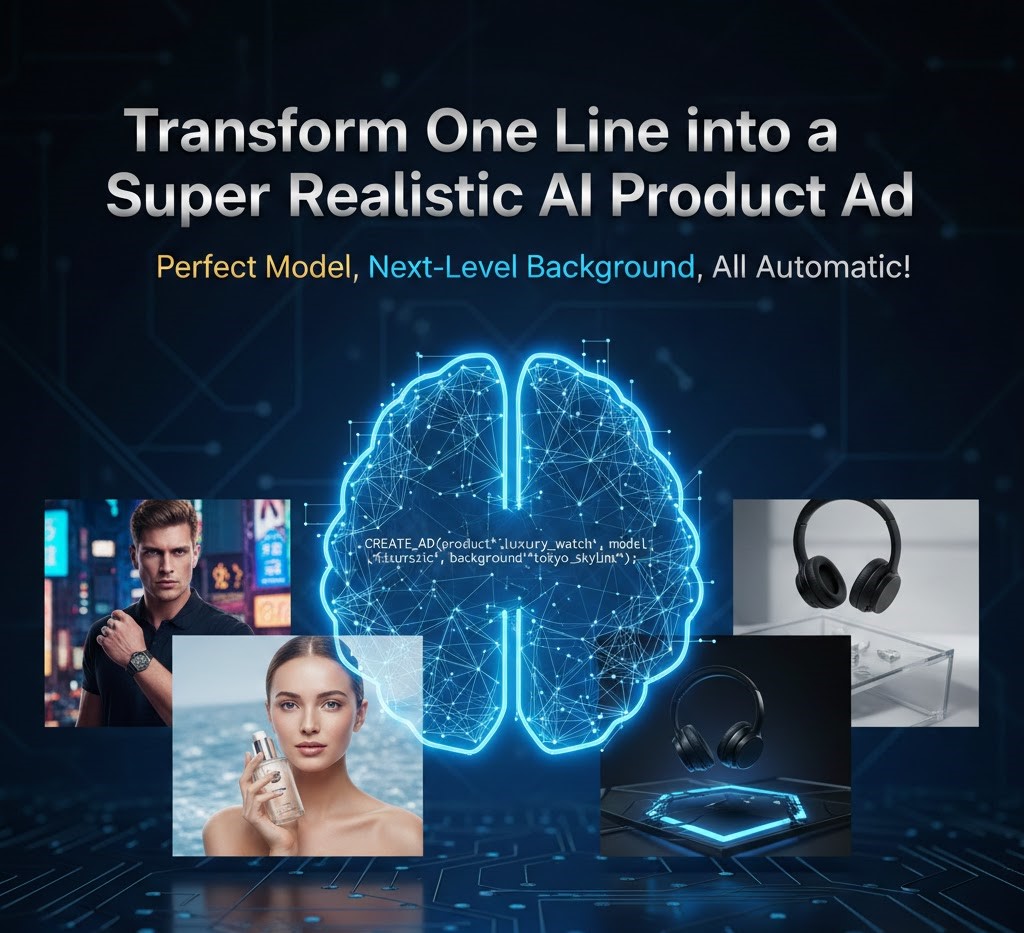

Imagine sitting at your desk with a groundbreaking product ready for the world, but your marketing budget is zero. You don’t have a professional photographer, a high-end studio, or a world-class model. In the past, this would mean months of delay or settling for mediocre smartphone photos. Today, the landscape has shifted entirely because you can now generate image model results that look indistinguishable from a high-budget Vogue or TechCrunch spread with just a single sentence.
The secret to this magic isn’t just the AI itself; it is the way you talk to it. Writing a prompt to generate these types of images requires a blend of technical terminology and creative vision. Whether you are selling skincare, high-tech gadgets, or luxury apparel, the ability to turn a one-line description into a high-conversion advertisement is the ultimate superpower for modern entrepreneurs.
In this guide, we will break down exactly how to structure your prompts, which keywords trigger the most realistic lighting, and how to ensure your AI-generated models look authentic and engaging.
The Anatomy of a High-Conversion AI Ad Prompt
To get that “next-level” background and “perfect model” look, you cannot just say “make an ad.” You need a structure that the AI understands. Even if the final prompt is short, it should contain four vital pillars.
1. The Subject and Product
Clearly define what is being sold. Is it a bottle of serum? A pair of ergonomic headphones? Be specific about textures—matte, glossy, metallic, or glass.
2. The Model Persona
Instead of saying “a person,” describe the vibe. Use terms like “high-fashion editorial model,” “corporate professional,” or “fitness enthusiast.” This helps the AI select the right facial expressions and poses.
3. The Atmospheric Lighting
Lighting makes or breaks realism. For a super-realistic ad, you want to use lighting terms used in professional photography.
4. The Environment (The Background)
The background should complement the product, not distract from it. Think about “minimalist marble surfaces” for luxury goods or “blurred urban sunset” for lifestyle products.
Master Keywords for “Super Realistic” Results
If you want your AI to stop looking like a digital painting and start looking like a photograph, you must use “trigger words.” These are terms that force the AI to prioritize high-fidelity textures and realistic physics.
- Photorealistic: The most basic but essential tag.
- 8k Resolution / UHD: Signals the AI to focus on fine details like skin pores and fabric weaves.
- Ray Tracing: A term borrowed from gaming that ensures shadows and reflections behave naturally.
- Depth of Field (Bokeh): This creates that professional “blurry background” that makes the product pop.
- Commercial Photography Style: Directs the AI toward the clean, bright aesthetic of advertisements.
How to Write Prompts for Specific Industries
Not all ads are created equal. A prompt for a perfume bottle needs a completely different “vibe” than a prompt for a mountain bike. Here is how to handle different sectors.
Luxury and Beauty Ads
For beauty, skin texture is everything. You want to avoid the “plastic” look that early AI was known for.
- The Prompt Formula: [Product] on a [Surface], held by a [Model Description] with [Lighting Type], [Specific Detail].
- Example: “A glass bottle of gold face oil held by a model with glowing natural skin, soft morning sunlight, macro photography, 8k resolution, elegant and airy.”
Technology and Gadget Ads
Tech ads thrive on sharp lines, cool tones, and futuristic environments.
- The Prompt Formula: [Device] on a [Modern Surface], [Background Style], [Lighting Color], [Camera Angle].
- Example: “Sleek matte black wireless headphones resting on a glass desk, neon blue rim lighting, blurred futuristic city skyline background, cinematic wide shot.”
Fashion and Apparel Ads
Fashion requires movement and “attitude.” The model’s pose is just as important as the clothing.
- The Prompt Formula: [Model] wearing [Clothing Item], walking in [Location], [Time of Day], [Photography Style].
- Example: “High-fashion model wearing a silk red dress walking through a Mediterranean street, golden hour lighting, captured on 35mm film, grainy realistic texture.”
Transitioning from Basic to Pro: The “One-Line” Technique
The goal is to reach a point where you can generate image model quality results with minimal effort. To do this, you can utilize “Power One-Liners.” These are dense sentences packed with descriptive adjectives.
Instead of writing:
“A man wearing a watch in a car.”
Write:
“Close-up of a luxury leather watch on a man’s wrist gripping a leather steering wheel, interior of a high-end sports car, soft cinematic shadows, hyper-realistic.”See the difference? The second prompt gives the AI a specific context (luxury), a specific action (gripping), and a specific lighting style (cinematic shadows).
Common Mistakes to Avoid in AI Ad Generation
Even with the best tools, it is easy to fall into traps that make your ads look “fake.”
1. Over-Smoothing the Skin
If your prompts are too generic, the AI tends to make models look like mannequins. Always include words like “natural skin texture,” “freckles,” or “fine lines” to maintain a human element.
2. Conflicting Light Sources
If you ask for “neon lights” and “bright sunlight” at the same time, the AI might get confused, leading to weird shadows. Stick to one primary light source per prompt.
3. Ignoring the “Rule of Thirds”
AI sometimes puts the product right in the center, which can look boring. Try adding “asymmetric composition” or “off-center” to make the ad look more artistic and professionally designed.
Leveraging Tools for Automatic Excellence
While the prompt is the steering wheel, the AI model is the engine. Many modern platforms now offer “all automatic” features. These tools take your simple one-liner and expand it behind the scenes into a complex technical prompt.
When you use a system designed to generate image model workflows, you are benefiting from thousands of hours of training on professional photography. This is why the backgrounds look “next-level”—the AI understands the relationship between a forest background and the way green light should reflect off a glass bottle.
Setting the Stage: The Importance of Backgrounds
A common mistake in AI advertising is focusing 100% on the product and 0% on the environment. The background tells the story of the brand.
| Product Type | Recommended Background | Emotional Impact |
| Watches | Dark wood or leather | Tradition and Quality |
| Skincare | Water ripples or marble | Purity and Luxury |
| Energy Drinks | Urban rooftops or gyms | Action and Vitality |
| Organic Food | Sunlight-drenched kitchens | Health and Home |
By choosing the right background, you guide the customer’s emotions before they even read your ad copy.
Advanced Tip: Incorporating Brand Colors
One of the hardest things to do with AI is staying “on brand.” However, you can force the AI to use your specific color palette.
Try adding a “color grading” instruction at the end of your prompt. For example:
“…color graded in muted earth tones” or “…vibrant pop-art color palette.”This ensures that the generated image fits perfectly into your existing Instagram feed or website design without needing heavy Photoshop work later.
The Future of AI in Advertising
We are moving toward a world where “automated creativity” is the norm. The ability to generate image model content instantly allows brands to A/B test hundreds of different ad variations in the time it used to take to set up one tripod.
Imagine generating ten different models, in ten different cities, wearing your product—all before your morning coffee is cold. This isn’t just a time-saver; it is a complete democratization of the advertising industry. Small businesses can now compete with global giants on a visual level.
For more insights on the ethical use of AI, check out the latest guidelines from the Federal Trade Commission regarding AI-generated content.
Conclusion: Your One-Line Empire
The era of expensive, stressful photo shoots is giving way to the era of the “Prompt Engineer.” By mastering the art of the one-line prompt, you unlock the ability to create stunning, super-realistic ads that stop the scroll and drive sales. Whether it’s the perfect model or a next-level background, the power is literally at your fingertips.
When you generate image model visuals, remember that the most successful ads are those that feel human. Use the technical tips provided—like depth of field and natural skin texture—to ensure your AI creations resonate with your audience on an emotional level. The technology is “all automatic,” but the vision is entirely yours.